Zight (CloudApp): The Snipping Tool Alternative Built for Instant Sharing
If you have ever captured a screen with the Windows Snipping Tool only to get stuck emailing the file back and forth, Zight will feel like a breath of fresh air. Zight, formerly known as CloudApp, is a versatile capture platform that turns screenshots, GIFs, and screen recordings into shareable links in a single click. Instead of saving and attaching a file, you copy a link and paste it wherever you work. That shift from local files to instant links is why so many teams treat Zight as a serious snipping tool alternative. It keeps the simple capture experience you expect but adds the sharing, annotation, and video features the built-in tool never offered.
What Is Zight (CloudApp)?
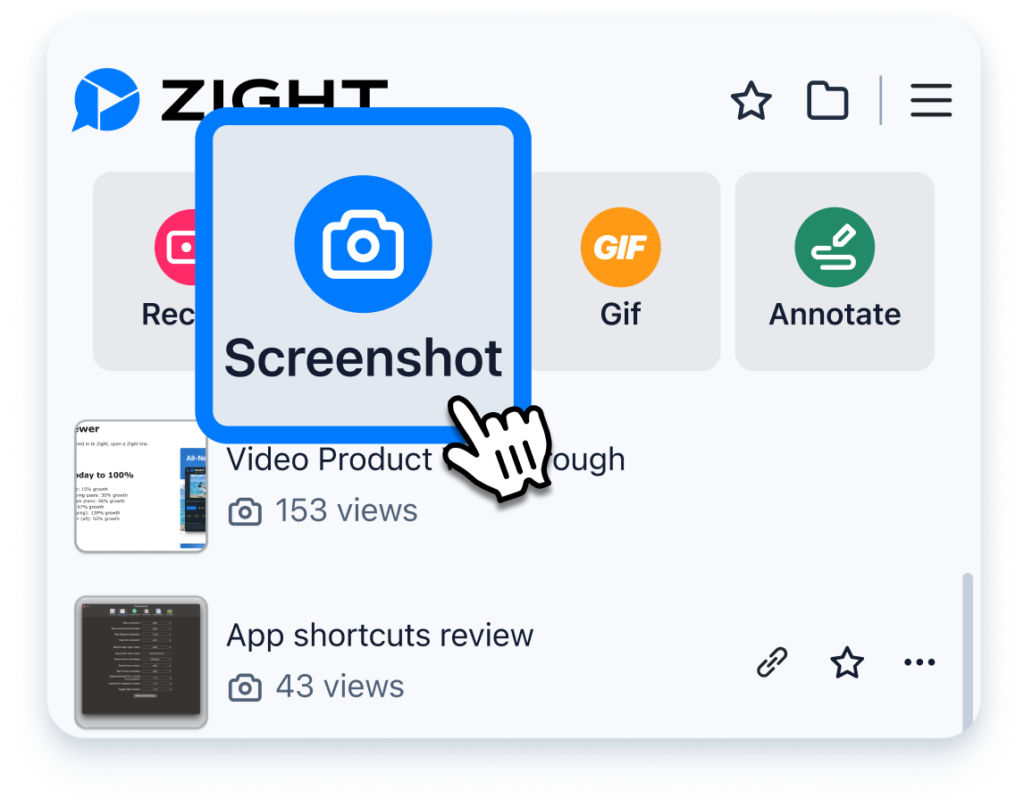
Zight is a screen capture and communication tool that lets you take full or partial screenshots, record your screen and webcam, and create GIFs on the fly. Every capture is automatically uploaded and given a sharing link, so collaboration happens the moment you finish recording. Formerly branded as CloudApp, it kept the same core promise after its rebrand: replace long written explanations with a quick visual you can share instantly. The idea behind Zight is that a picture, GIF, or short video communicates in seconds what might take several paragraphs to describe. Rather than treating a screenshot as a file you have to manage, it treats every capture as ready-to-send communication. The app runs across Windows, Mac, Chrome, and iOS, making it flexible for distributed teams.
Key Features of Zight
Zight covers far more ground than a basic capture utility. Here is what stands out and why it matters:
Zight vs. the Windows Snipping Tool
The Windows Snipping Tool is dependable for one job: capturing a region of your screen and saving it as an image. It is free, built in, and works entirely offline, which is useful in restricted environments. But it stops there, leaving you on your own after the save. Zight picks up where the Snipping Tool leaves off. Where the native tool produces a static PNG, it produces a screenshot, a GIF, or a video and hands you a link ready to paste. It adds arrows, text, and blur tools built for professional communication, and it follows you across Windows, Mac, Chrome, and iOS instead of Windows alone. The trade-off is simple: the Snipping Tool is offline and minimal, while Zight is cloud-based and built for collaboration if sharing is a regular part of your day, that usually favors Zight.
Real-World Collaboration Use Cases
The usefulness of Zight becomes evident in everyday work routines. A customer service representative sends an annotated screenshot with a clearly visible arrow pointing to the particular button, thereby saving time in endless email exchanges. A programmer uploads a video with a bug replay in less than a minute, allowing the programmer to witness the problem rather than trying to guess about it according to someone’s description. A designer posts a GIF image to demonstrate how the menu animation works.
Pricing and Platforms
Zight offers a free tier to get started, with paid plans available when you need advanced capture, longer recordings, and expanded sharing controls. It has earned a strong 4.7/5 rating on G2. The free plan is enough to test the workflow, while paid tiers unlock the full experience for daily professional use.
|
Detail |
Information |
|
Pricing |
Free; Paid plans available |
|
Platforms |
Windows, Mac, Chrome, iOS |
|
Rating |
4.7/5 (G2) |
|
Best for |
Teams that share visuals and screen recordings frequently |
Pros and Cons
Pros
Cons
Tips for Getting Started with Zight
To get value quickly, learn Zight’s capture shortcut so that grabbing a screenshot becomes muscle memory. Before sharing anything sensitive, use the blur tool on personal details, then rely on arrows and text to guide the viewer’s eye to your point. Keep videos short; a tight 30- to 60-second recording is watched far more often than a rambling one. Finally, paste the auto-generated link straight into Slack or your ticketing tool rather than downloading the file first, which is where the real time savings live.
Who Should Use Zight?
Zight is a natural fit for anyone who explains things visually all day. Support agents can send an annotated screenshot instead of a paragraph of instructions, designers and product managers can record a quick walkthrough for remote teammates, and marketers and educators can create GIFs that make a point in seconds. If you are tired of the Snipping Tool’s save-and-attach routine, this snipping tool alternative pays off quickly. It is less ideal for users who need a purely offline tool or who cannot upload work-related captures to the cloud.
Final Verdict
Zight goes well beyond simple screen grabs. By combining screenshots, GIFs, and video with instant, link-based sharing, it removes the friction that makes the native Snipping Tool feel dated. The free tier lets you try it risk-free, while paid plans reward heavy users. For teams that live in chat, tickets, and docs, Zight is one of the most practical snipping tool alternatives available today.